Turn endless boring lists into an intuitive visual board. Color-code priorities, add engaging icons, and instantly grasp what needs to be done today.
Most to-do list apps are built around a simple concept: write tasks in a vertical list and check them off one by one. While this approach works for simple errands, it quickly becomes overwhelming when your responsibilities grow.
Long lists of tasks create a wall of text that is difficult to scan. Important items become buried between minor tasks, and it becomes harder to understand what actually matters right now.
For visual thinkers and people with ADHD, this problem becomes even more noticeable. A dense list requires constant reading, filtering, and prioritizing before you even begin working.
This leads to a common experience known as task overwhelm. Instead of helping you start tasks, the list itself becomes the obstacle.
A visual to-do list solves this by changing how tasks are presented. Instead of forcing you to process everything as text, tasks become visible elements that can be understood instantly.
A visual to-do list is a task management system that organizes tasks using layout, color, spacing, and visual hierarchy rather than relying only on text.
Instead of reading through dozens of lines, you can quickly scan the screen and understand what needs attention.
This approach improves productivity in several ways:
By turning tasks into visual objects instead of text entries, a visual task manager helps you focus on action rather than organization.
DoMind transforms traditional task lists into a visual planning system. Instead of stacking tasks in long lists, the app presents them in a structured visual timeline.
This makes it easier to understand your day without scanning endless text.
With DoMind, your to-do list becomes part of a larger visual overview that includes tasks, notes, habits, and events.
Each task can include helpful context such as:
Because tasks appear visually within your day, they remain easier to remember and manage.
The human brain processes visual information much faster than text. When tasks are presented visually, you can identify priorities almost instantly.
This is especially helpful when managing busy schedules or multiple responsibilities.
A visual task manager reduces the friction that usually comes with traditional to-do lists. Instead of spending time organizing tasks into complicated structures, you can immediately see what needs to be done.
This approach encourages faster decision-making and helps reduce procrastination.
Many people with ADHD struggle with traditional productivity tools. Long lists often trigger overwhelm, and tasks can easily disappear from awareness when they are buried in text.
This is sometimes referred to as the “out of sight, out of mind” effect.
A visual to-do list helps solve this by keeping tasks visible and structured in a way that the brain can process quickly.
DoMind was designed with these challenges in mind. The visual layout reduces cognitive load and helps users stay aware of their priorities throughout the day.
For ADHD users, this means:
Instead of fighting against your brain’s natural tendencies, a visual system supports how you already think.
Many task management apps store your data on remote servers and track how you use the app. This often requires creating accounts and syncing information with cloud services.
DoMind takes a privacy-first approach.
Your tasks, notes, and personal information remain on your device.
This means:
Your to-do list remains private and fully under your control.
Many productivity apps depend on internet connections to function properly. When the connection is slow or unavailable, the app becomes less reliable.
DoMind works completely offline.
This allows you to manage tasks, write notes, and track habits anywhere without relying on servers or connectivity.
An offline system also provides faster performance and improved privacy.
Productivity tools should reduce complexity, not add to it. A visual to-do list helps simplify your workflow by presenting tasks in a way that is easier to understand.
DoMind combines visual task management, private data storage, and offline reliability to create a calmer productivity experience.
If you are looking for a visual to-do list that helps you organize tasks without overwhelming interfaces or complicated systems, DoMind offers a simple and intuitive alternative.
See your entire day visually in one place with DoMind's visual daily planner and task overview.
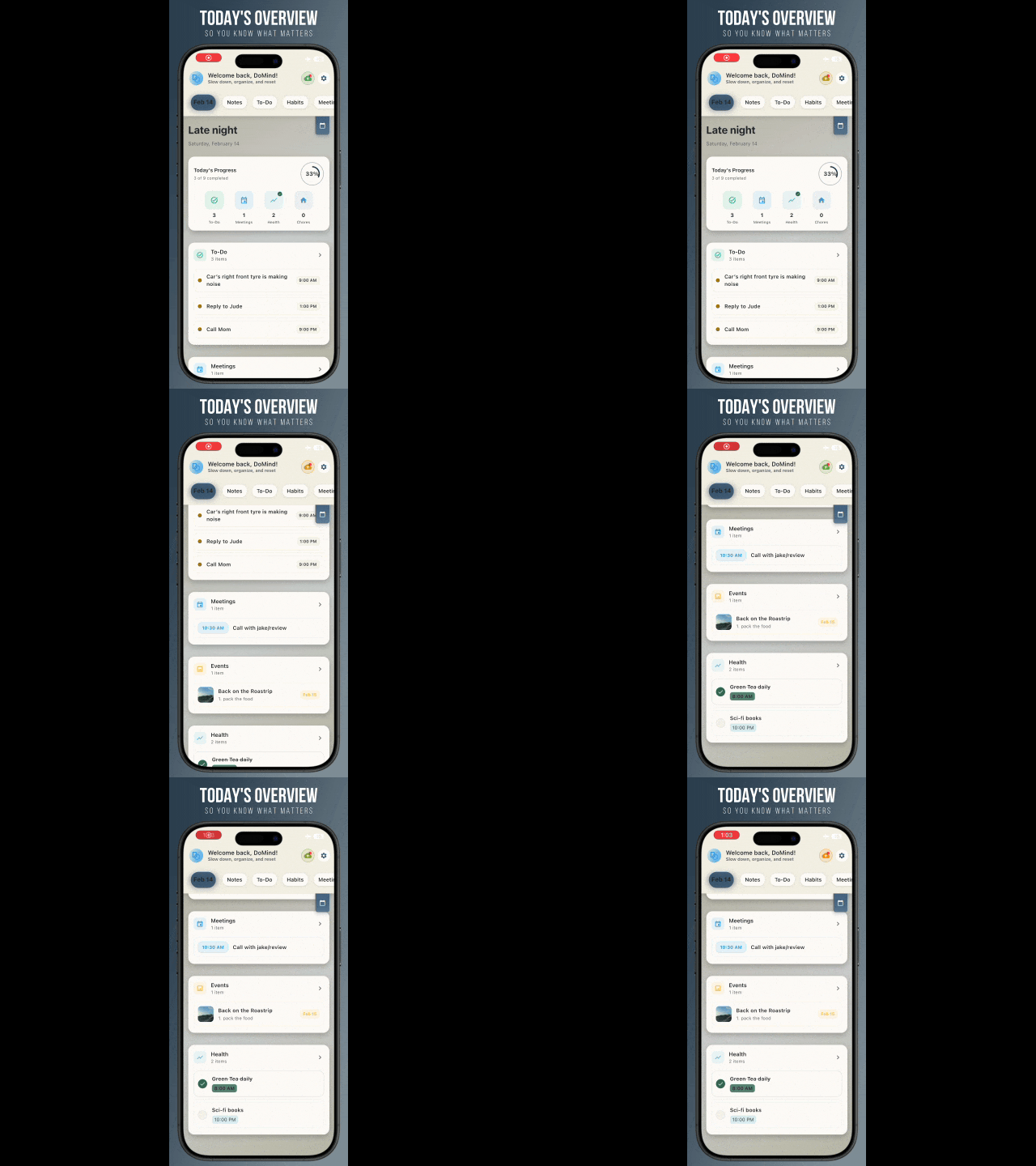
A clean visual planner designed for focus and calm.
Your life, organized
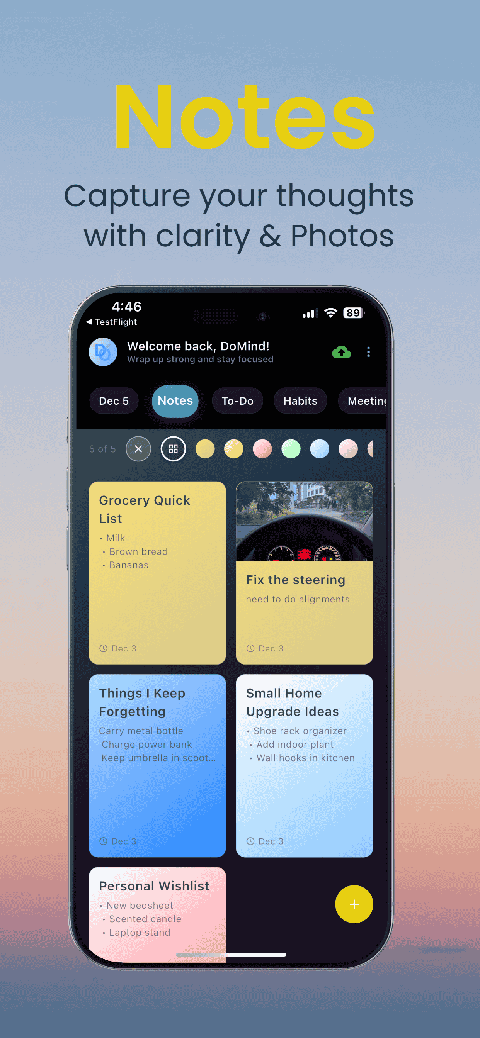
Visual notes
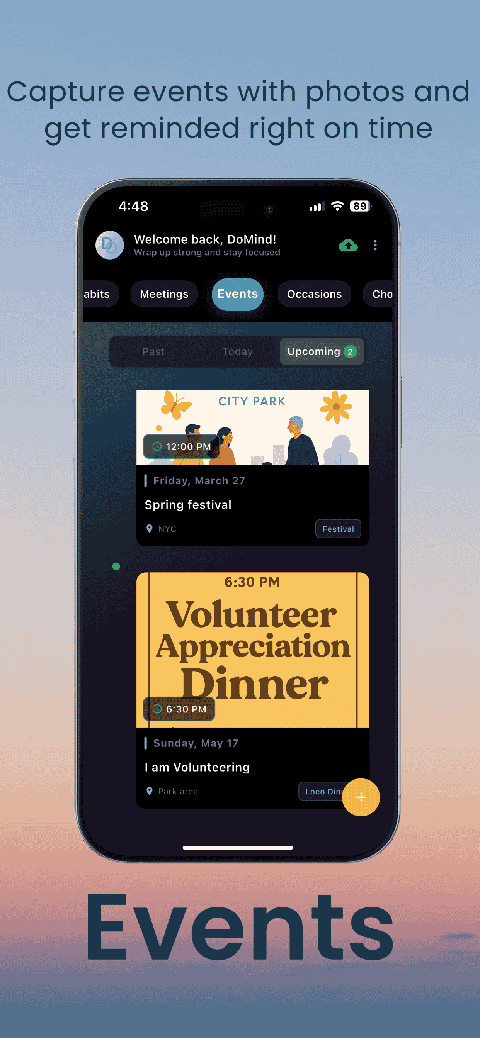
Plan events
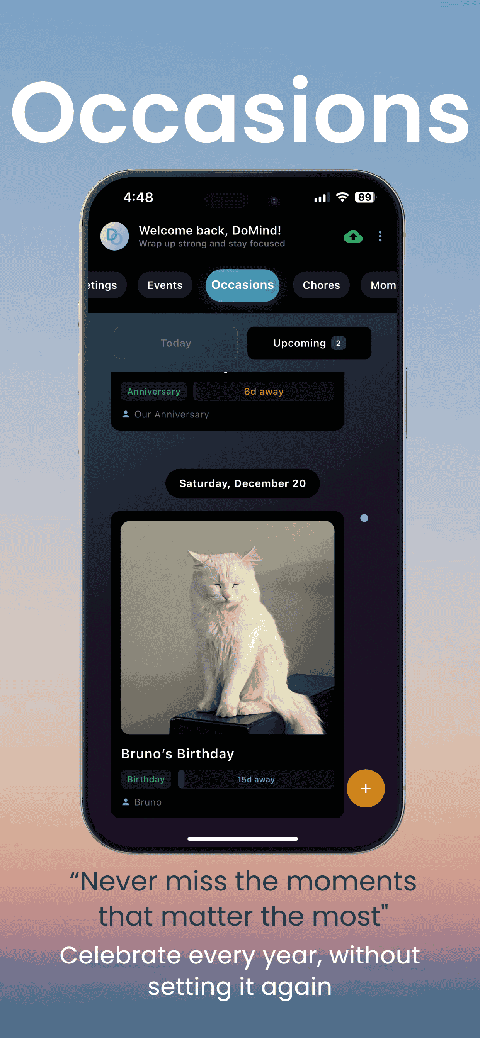
Private memories
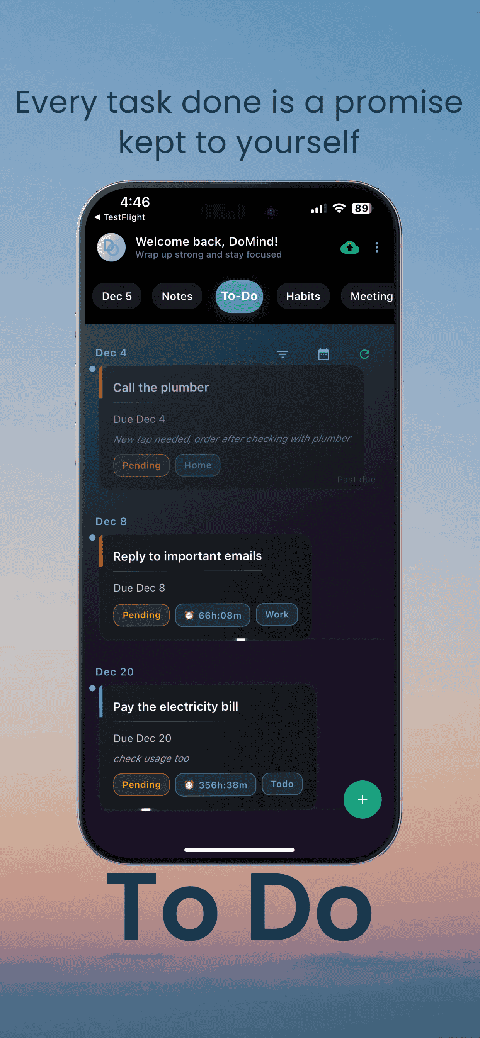
Manage tasks visually
Choose themes
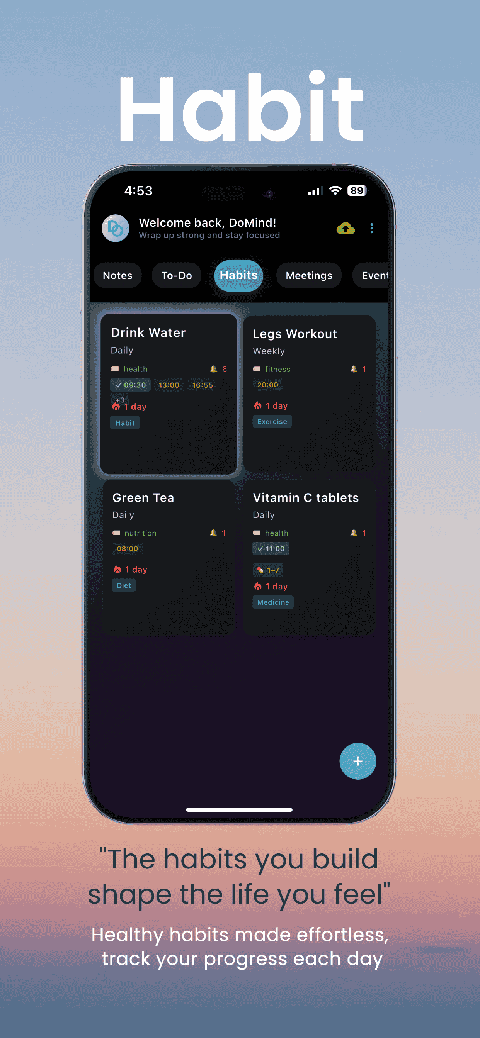
Track habits

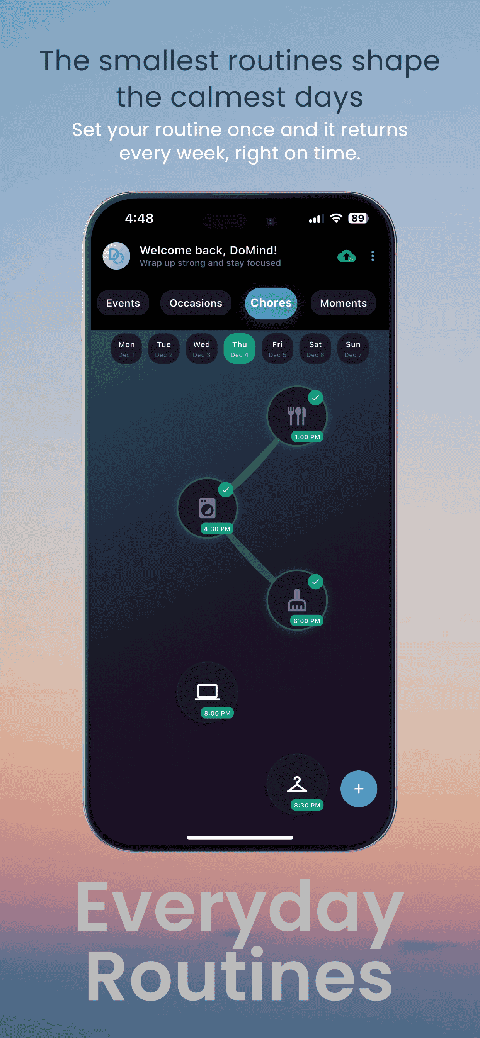
Organize routines

Visual experience
Calm interface
Standard planners feel like a wall of text. They trigger overwhelm.
Download DoMind free — the visual planner that respects your privacy.