An offline notes app allows you to capture thoughts and ideas anytime without relying on internet connectivity or cloud services.
An offline notes app is a note taking tool that works without requiring an internet connection.
Users can write, edit, and store notes directly on their device without depending on cloud services or online accounts.
This approach provides several advantages.
Notes remain accessible anytime, even in situations where internet connectivity is unavailable.
An offline notes app ensures that ideas can be captured instantly without waiting for a connection.
For many people, this reliability makes offline note taking more dependable than cloud-based systems.
Internet connectivity is not always available.
Travel, remote locations, airplane flights, or poor network coverage can make online tools unreliable.
In these situations, cloud-based note apps may struggle to sync or even open properly.
A notes app without internet eliminates this dependency.
Because notes are stored locally, they remain available regardless of network conditions.
This allows users to capture ideas whenever they occur.
Ideas often appear when we least expect them.
They may come during a walk, while reading a book, or during travel.
If the note taking tool depends on internet access, capturing these ideas may become difficult.
An offline note taking app removes this limitation.
Users can open the app and record thoughts immediately.
The note is saved directly to the device, ensuring that no idea is lost.
Many modern apps rely on cloud storage.
While cloud services can be convenient, they also involve storing information on remote servers.
For users who prefer greater privacy, offline storage offers a different approach.
A private offline notes app keeps notes on the user’s device.
This means personal thoughts, ideas, and reflections remain under the user’s control.
For people who value privacy, this local storage model can feel more secure.
Internet-connected apps often introduce additional distractions.
Notifications, sync processes, and background updates may interrupt focus.
Offline tools tend to provide a quieter environment.
Because the app does not depend on network activity, the experience becomes simpler and calmer.
A local notes app can therefore support more focused thinking.
Users can concentrate on writing without constant digital interruptions.
People rely on notes for many purposes.
Some notes are quick reminders.
Others are longer reflections or ideas that need to be preserved.
Common types of notes include:
An offline notes app allows all of these notes to be recorded quickly without relying on connectivity.
Local storage means that notes remain directly on the user’s device.
This provides several practical advantages.
First, notes open quickly because the app does not need to communicate with remote servers.
Second, notes remain accessible even when internet access is unavailable.
Third, users maintain full control over their data.
A secure offline notes system offers reliability that many cloud-based tools cannot guarantee.
DoMind allows users to capture notes directly on their device.
Notes can be written quickly with titles and detailed content.
Each note is stored locally, allowing users to access it anytime.
Because notes are saved instantly, users can capture ideas without worrying about losing information.
This reliability makes the app suitable for both quick thoughts and longer reflections.
One important feature of offline note systems is instant saving.
When notes are saved automatically, users do not need to worry about losing information.
If the app closes unexpectedly, the note remains stored.
An offline note taking app that saves content immediately provides greater confidence.
Users can write freely without worrying about data loss.
As notes accumulate, organization becomes increasingly important.
Grouping notes by category helps users find information quickly.
Examples of categories may include:
This simple structure turns a collection of notes into an organized knowledge system.
A local notes app allows users to navigate these categories easily.
One of the main advantages of offline tools is stability.
Cloud-based systems may occasionally fail to load or sync when networks are slow.
Offline apps avoid these issues entirely.
Because everything runs locally, the app remains responsive.
Users can write notes confidently without worrying about connectivity problems.
This reliability is especially valuable for people who travel frequently or work in environments with limited internet access.
Writing notes often requires concentration.
When tools introduce distractions, it becomes harder to think clearly.
An offline notes app creates a calmer writing environment.
Without constant updates or notifications, users can focus entirely on their ideas.
This focused environment supports deeper thinking and clearer reflection.
Over time, notes accumulate into a valuable archive of ideas.
Each note captures a moment of thinking, learning, or creativity.
When these notes are stored consistently, they form a personal knowledge base.
An offline notes app helps build this archive while maintaining privacy and reliability.
Users can revisit their notes months or years later.
In this way, small captured ideas gradually become a long-term record of knowledge and insight.
See your entire day visually in one place with DoMind's visual daily planner and task overview.
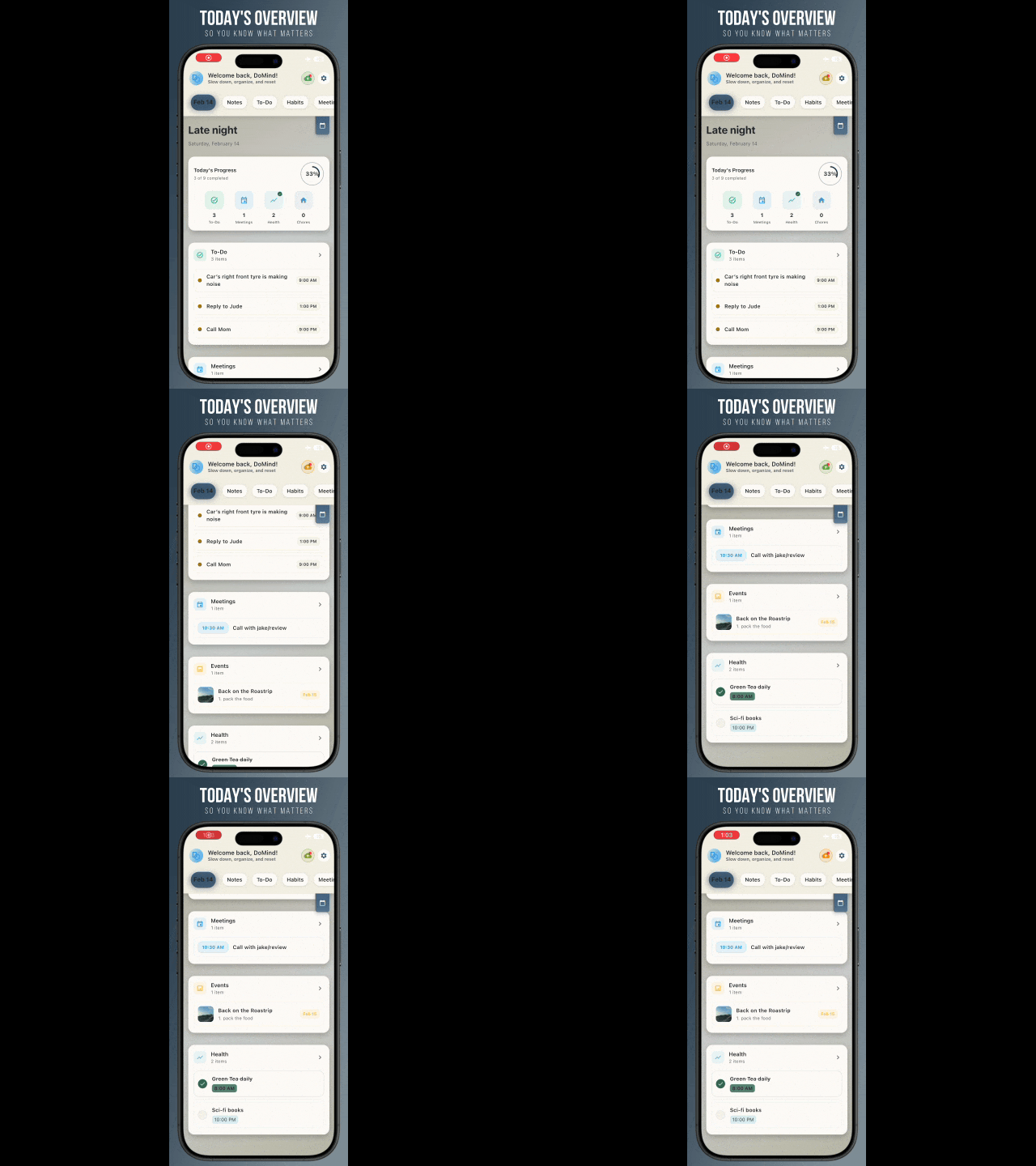
A clean visual planner designed for focus and calm.

Your life, organized

Visual notes

Plan events

Private memories
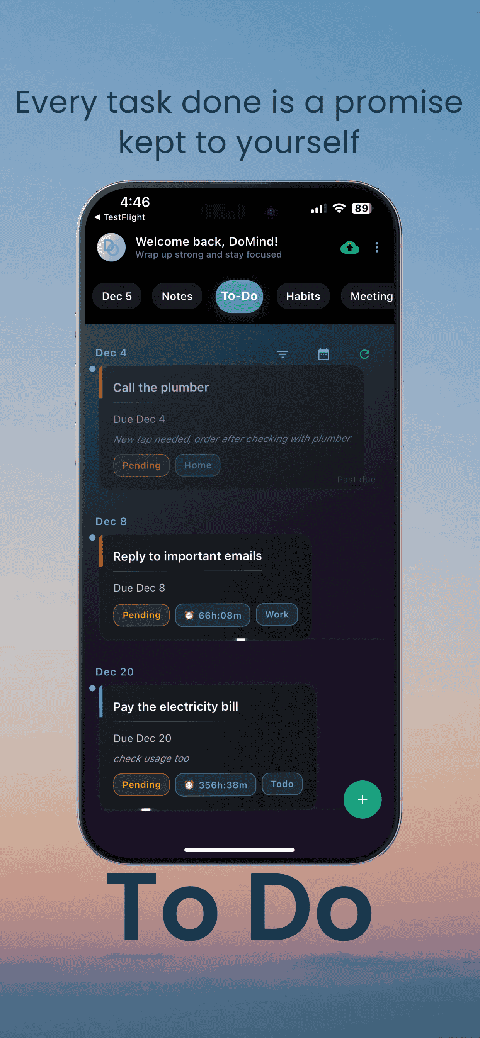
Manage tasks visually

Choose themes

Track habits

Organize routines

Visual experience
Calm interface
Standard planners feel like a wall of text. They trigger overwhelm.
Download DoMind free — the visual planner that respects your privacy.