You use your camera roll as a journal. Your notes app as a to-do list. Your brain as a birthday reminder. It mostly works, until it doesn't. DoMind is the one app that was built to hold all of it - properly, privately, and without needing an account or an internet connection.
Built by a small indie team who got tired of needing five apps to manage one day. • Join the community: r/DoMindofficial - real people using DoMind, real feedback, real conversations.
Write it down before it's gone. Group, reorder, search, add photos, format with rich text. Swipe down to save.
Drag to explore
The idea you had while walking home. The thing you meant to research. The grocery list that's somehow in the same app as your work notes. DoMind keeps notes grouped so your shopping list isn't next to your meeting notes. Add a photo, format with rich text, search through all of it. Swipe down to save.
Make DoMind feel like yours with multiple themes and customisation options. And it speaks your language - 29 of them, including French, Japanese, Hindi, Indonesian, Spanish, and more. Use it the way that works for you.
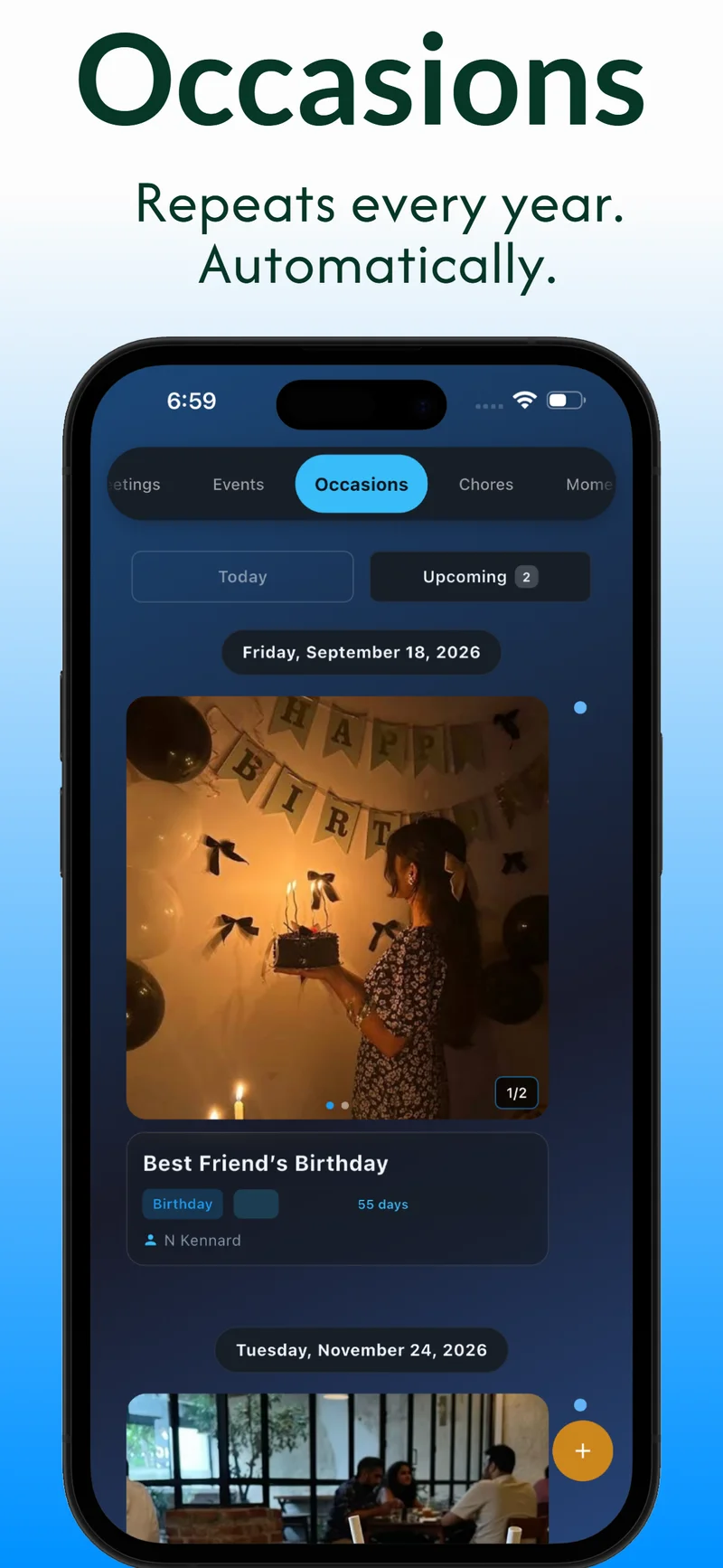
Every year, your aunt's birthday passes and you think 'I'll do something proper next year.' You never do, because by the time it comes around again, you've forgotten when it is. Add her birthday as an Occasion in DoMind. It repeats automatically. Each year gets its own notes and photos, so over time you build a timeline of the people who matter most.
You bought concert tickets in February. The show is in October. By September you've completely forgotten the details. Add it as a DoMind Event and it sits on your timeline, visible whenever you check. After the show, add photos and notes - so you actually remember it the way it was, not just as a line on a receipt.
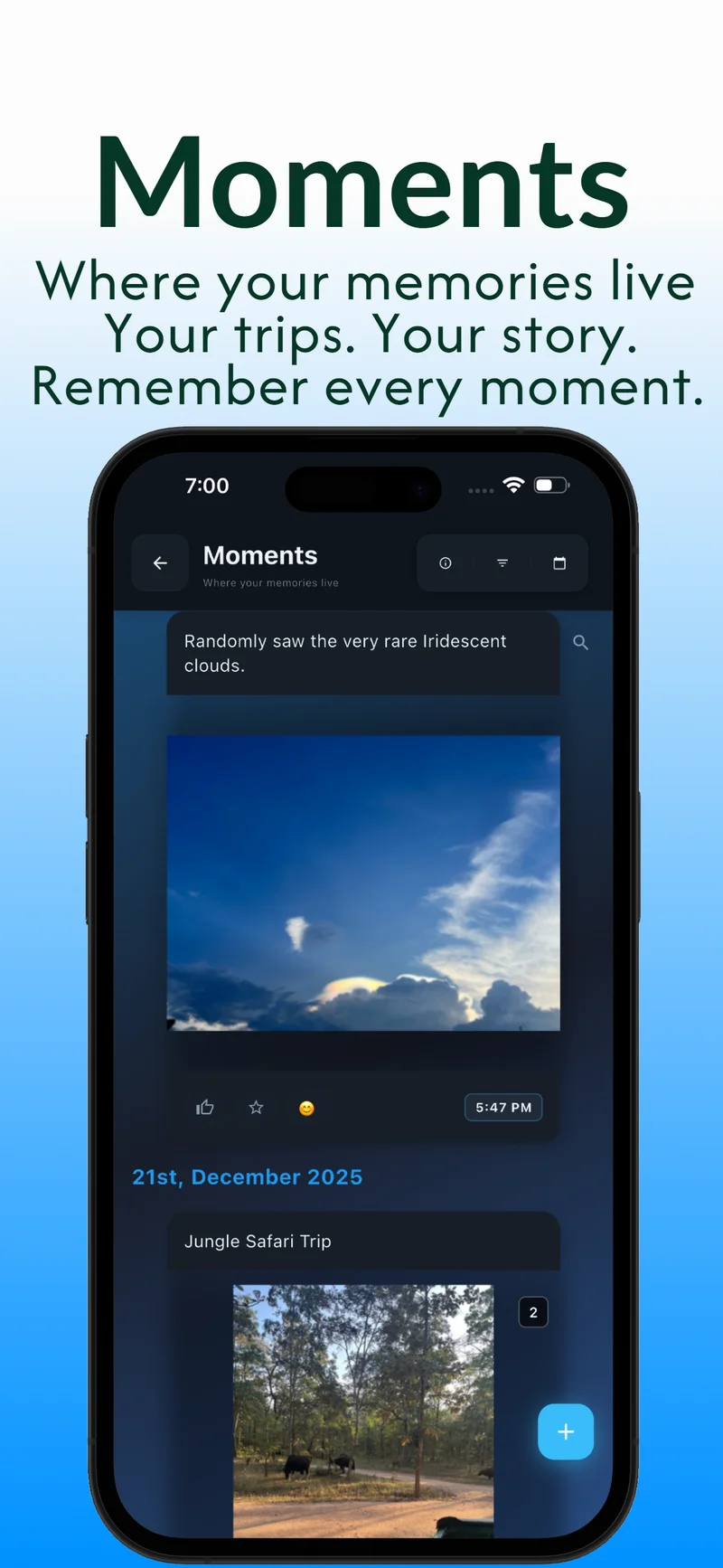
Your camera roll has 4,000 photos and you can't find the ones from that trip to Portugal. DoMind Moments is a private photo journal, completely separate from your camera roll, with a date and a note attached to each memory. No cloud, no algorithm, no one else seeing it. Just yours.
That dentist appointment you've been meaning to book for three months lives rent-free in your head. Put it in DoMind with a due date and it stops taking up space in your brain. Make it recurring for things that come back - quarterly reviews, monthly finance check-ins, weekly calls - and it reappears automatically.
Those woolen jumpers need washing before winter, but you only remember in March when it's too late. Set it as a repeating Chore - the right week, every year - and DoMind handles the reminder. Add a checklist for the steps, a note about the temperature setting, and never have to think about it again.
It's 8am. You open four apps to figure out what today looks like. DoMind shows you everything - habits due, chores scheduled, todos with deadlines, upcoming events - in one view, the moment you open it. Nothing to navigate. Just your day, laid out.
Notes. Themes. Todos. Events. Occasions. Chores. Moments. All in one place, all on your phone, all private.
Write it down before it's gone. Group, reorder, search, add photos, format with rich text. Swipe down to save.
Multiple themes so it feels like yours. And it speaks your language - 29 of them, including French, Japanese, Hindi, Indonesian, Spanish, and more.
Birthdays and anniversaries that repeat automatically every year. Add notes and photos for each year individually.
Concerts, festivals, film releases, book drops. One-time entries with photos and notes - so you remember it properly.
A private photo journal on your phone. No uploads, no cloud, no algorithm. Yours.
Checklist, due date, recurring, images, description, extra notes. Meetings work the same way - one entry, everything in it.
Set it once. It repeats itself at the same time. Your routine runs without you having to manage it.
Everything due today - todos, habits, chores, events - in one view. Open the app and you know exactly where you stand.
Real situations where DoMind solves a real problem
Every year, your aunt's birthday passes and you think "I'll do something proper next year." You never do, because by the time it comes around again, you've forgotten when it is. Add her birthday as an Occasion in DoMind. It repeats automatically. You get reminded. And every year, you can add a note and a photo - what you got her, what you did, how she reacted. After five years, you have a real record of the relationship, not just a date in a calendar.
You only remember to treat your wooden decking in spring, and you only remember in summer when it's already too late. Set it as a repeating Chore for late March, every year. Add a checklist - the product you use, the number of coats, the drying time. Next March it's there waiting. You do it. You forget about it for another year.
You want to take your vitamin D every morning. You do it for two weeks. Then one morning you're running late and you skip it, and somehow that's the end of the streak. DoMind shows your habit grid visually - a row of checked boxes - so a missed day is something you can actually see. That visibility is what keeps you coming back. It works for medicine, for reading, for going to the gym, for anything you want to do consistently.
You saw a trailer for a film in January and thought "I really want to see that." It comes out in June and you have no idea it's even playing. Add it as a DoMind Event in January with the release date. It sits in your timeline, quietly. When June comes, you remember. After you see it, add a photo and a note. In five years, when you're thinking about that era of your life, it's all there.
Most productivity apps hand you a blank canvas and call it freedom. But blank canvases need building - templates to design, databases to wire up, tags to organise. Most people spend two hours setting up a system they use for four days. DoMind doesn't need setting up. The structure is already there: notes, todos, habits, occasions, chores, moments. You open it. You put something in. That's day one. That's also day 100.
See how DoMind fits your life: Focus & Routine • Privacy & Offline • Memories & Occasions
Clean enough that you actually want to open it.
Birthdays, never forgotten
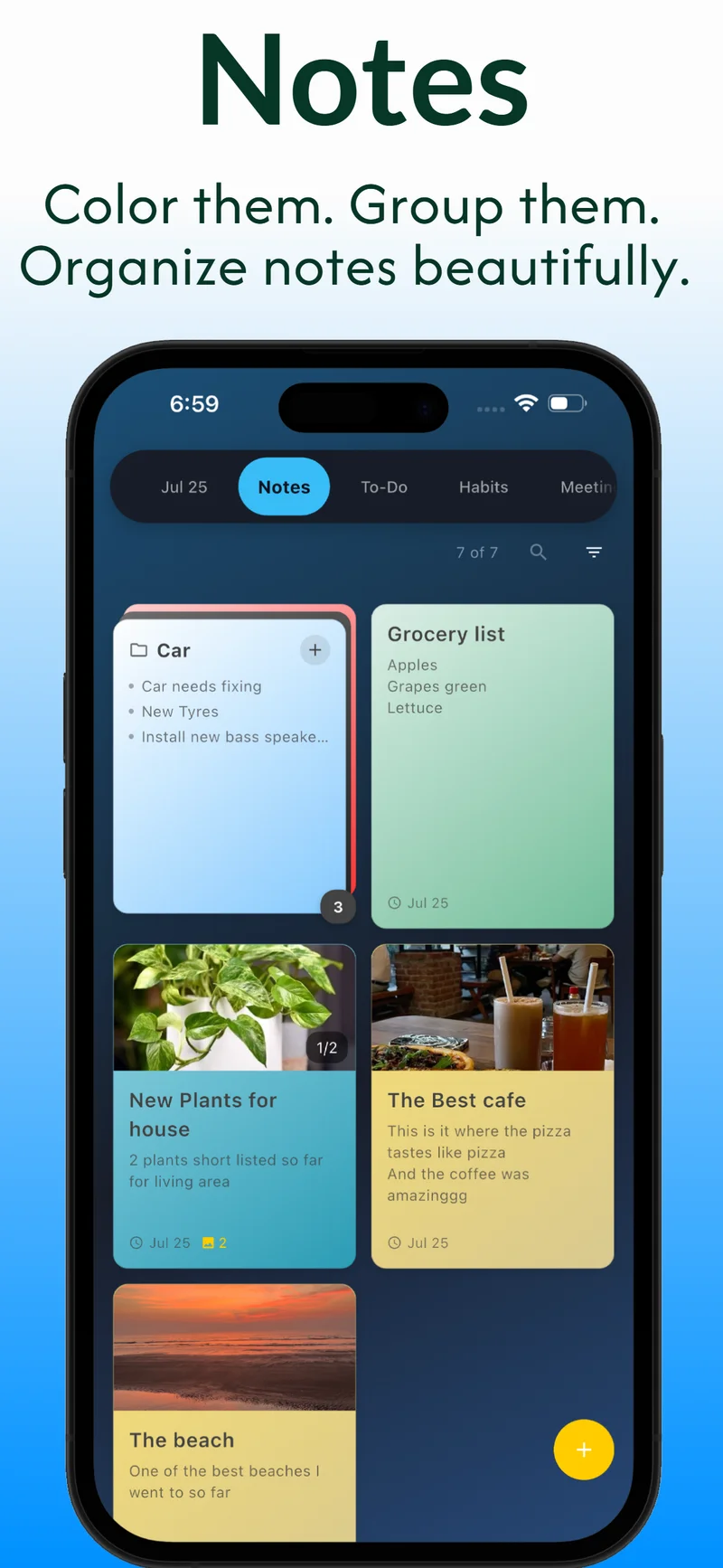
Notes with photos & color
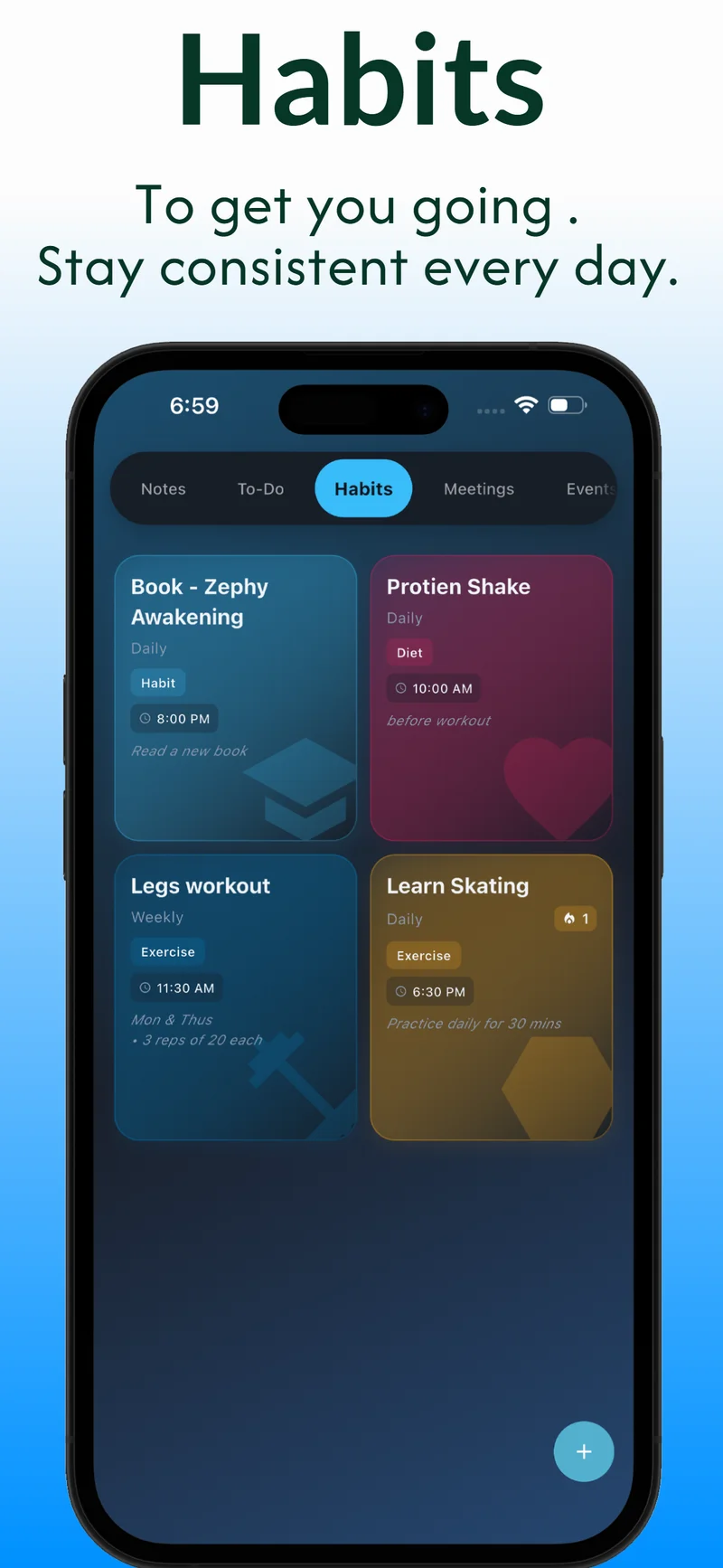
Habits that stick
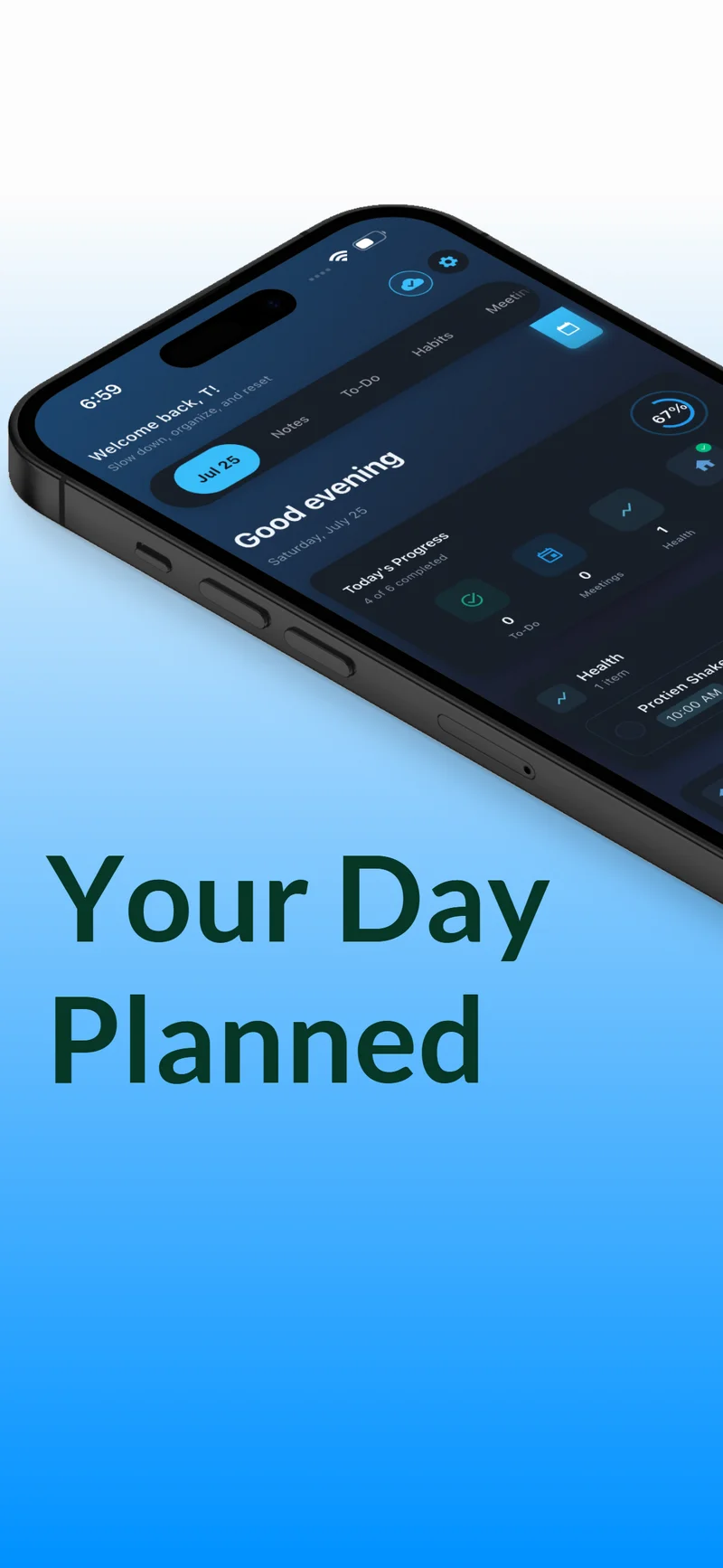
One calm home screen
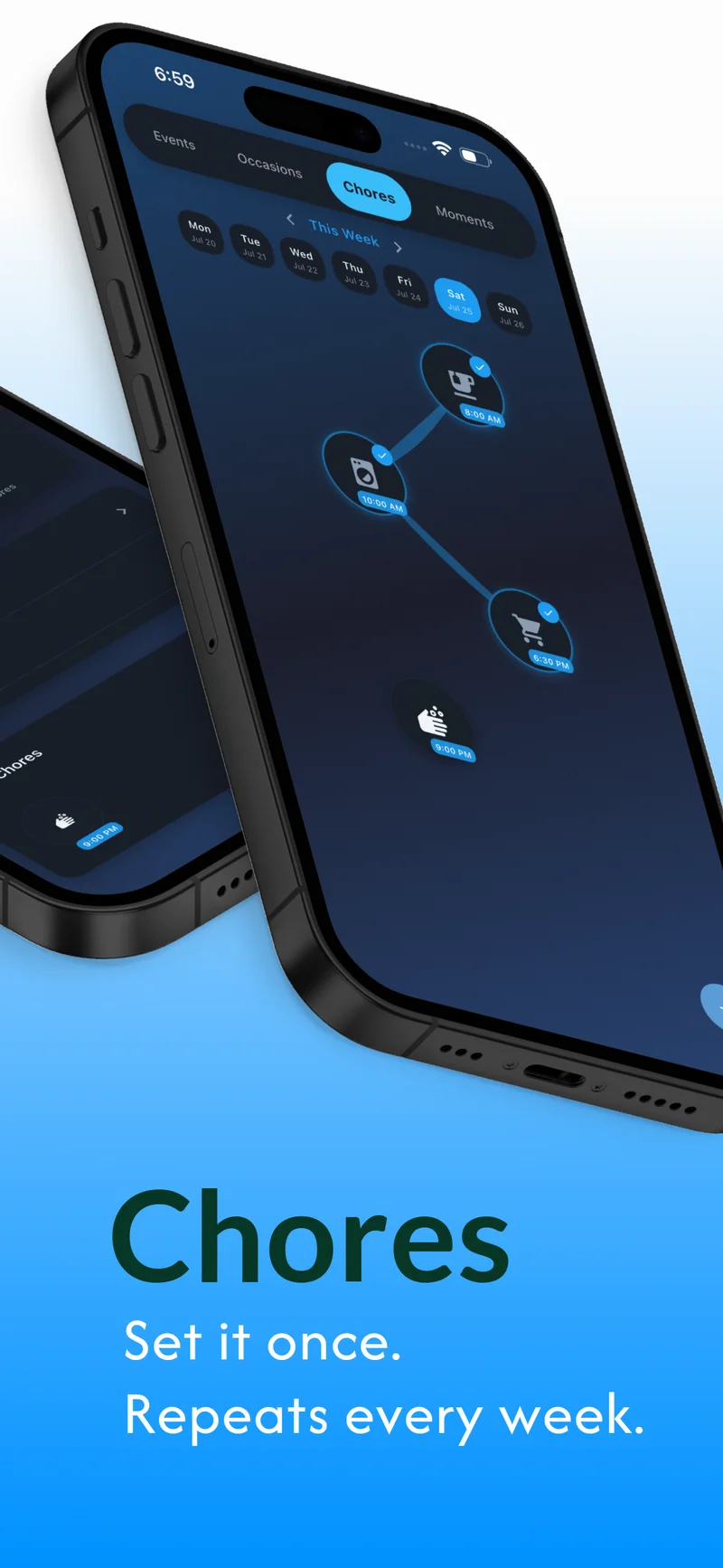
Routines on autopilot
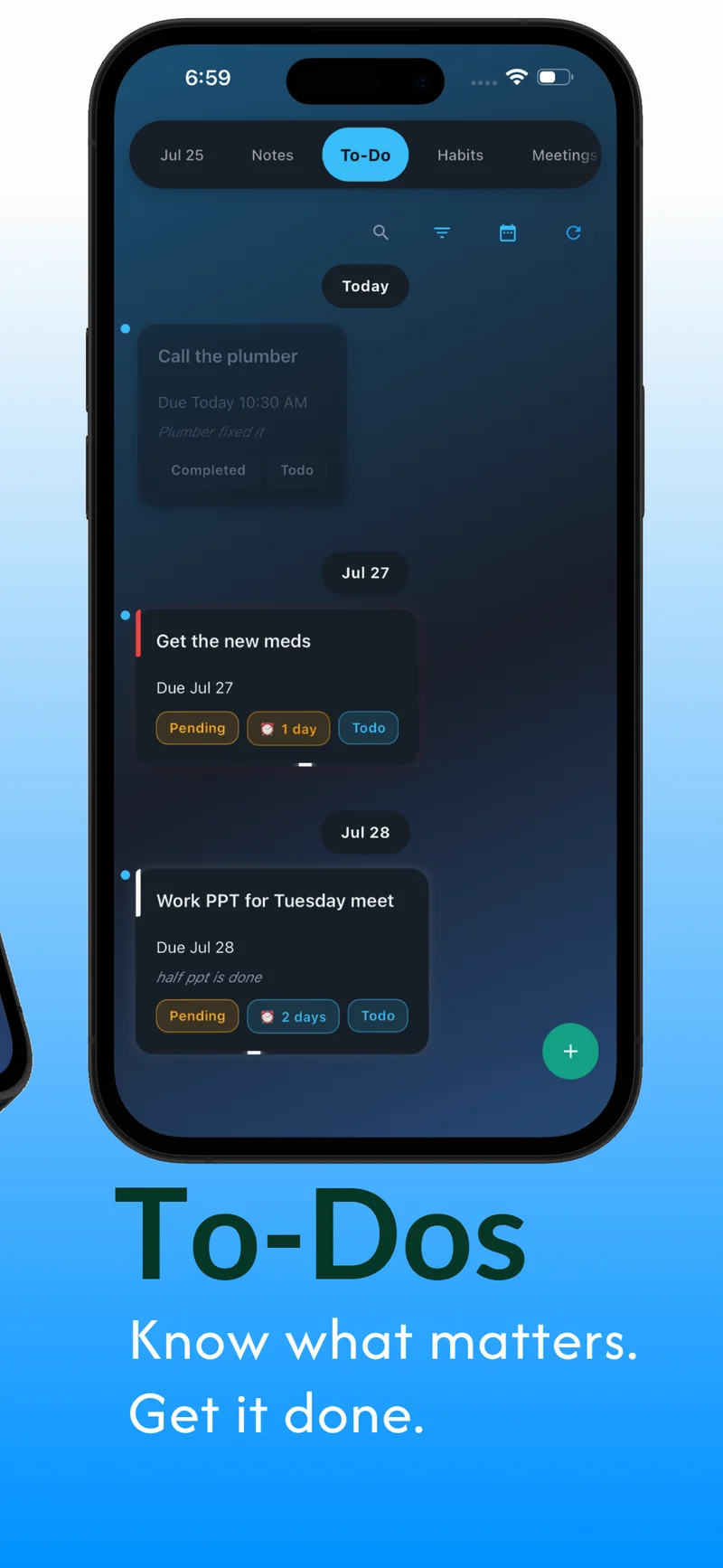
Tasks that make sense at a glance
100% private, 100% yours
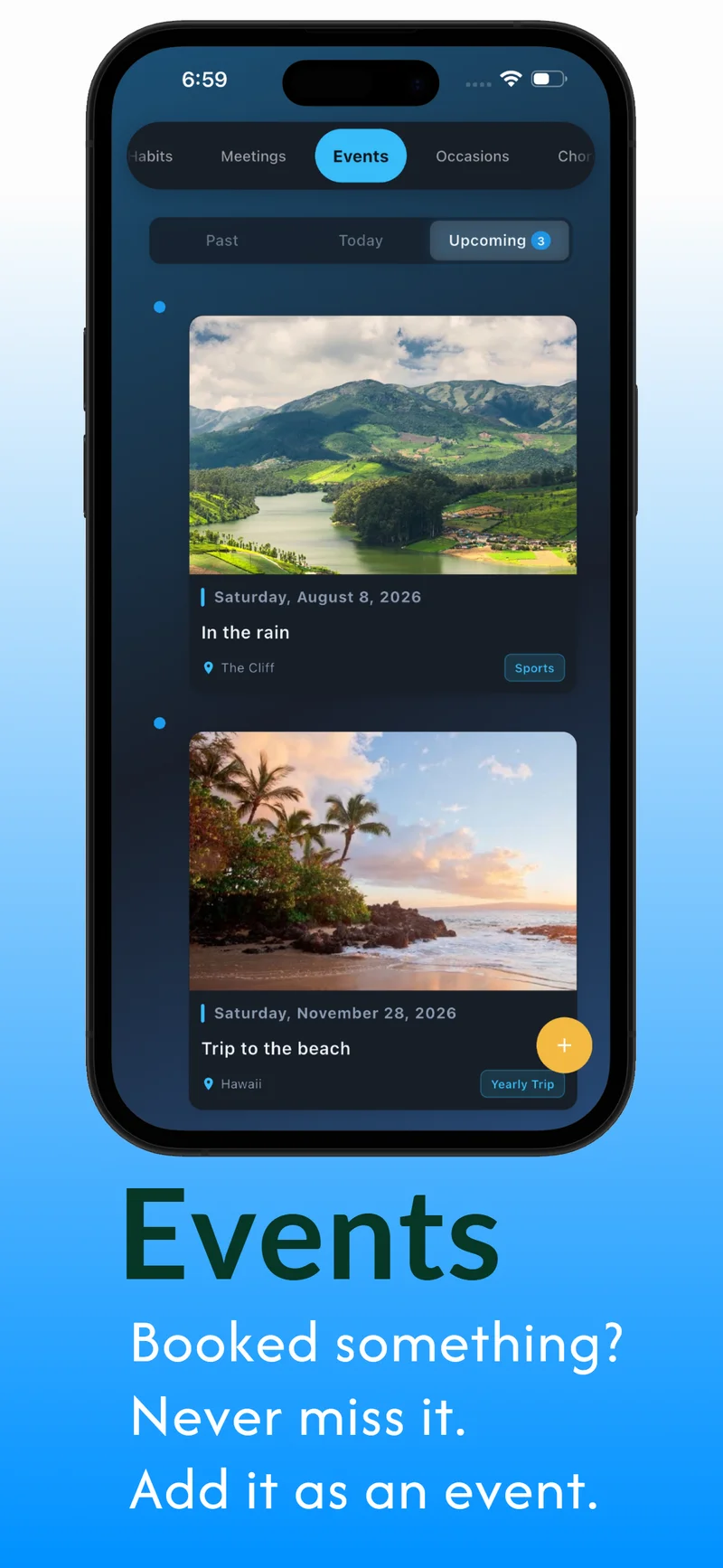
Your events, beautifully planned
Everything in one view
Your memories, preserved
DoMind doesn’t have servers. It doesn’t have logins. Your plans, notes, and memories live on your device and nowhere else.
No databases. No cloud uploads without your action. Your entries are encrypted by your phone’s OS and stay where they belong — with you.
Open the app and it works — no loading screens, no spinners, no “connecting to server.” Internet is only needed if you choose to back up to Google Drive or iCloud.
DoMind uses Google Drive and iCloud only for optional, user-initiated backup and restore. When you choose to back up, the app creates a single backup file in your own cloud account. This may include tasks, notes, events, occasions, attached photos and settings. DoMind requests only the minimal scopes required and does not access other files.
You choose when to create, restore, or delete a backup. DoMind simply provides the tools — you remain in control.
DoMind is a visual planner app and personal life planner for iOS and Android. Notes, todos, habit tracking, events, occasions, chores, and a private photo journal live in one app, on your phone, with no account required.
It works completely offline. Your data never leaves your device. No ads, no AI features, no analytics, no tracking. You don't need an email to get started. Download it, open it, put something in.
People use DoMind in a lot of different ways. Tracking morning and evening medicine as a recurring daily habit. Building an anniversary memory that grows a new entry each year. Managing grocery runs and house tasks that repeat on the same schedule. Writing down the concert they're counting down to. Keeping a private photo journal instead of posting to a feed. DoMind handles all of it - in 29 languages, on iOS and Android.
Everything you need to know before you download.
DoMind is a private, offline life planner for iOS and Android. One app for your notes, todos, habits, events, occasions, chores, and photo journal. No account needed. Nothing to set up. You open it and start putting things in - that's the whole idea.
Free to download. The free version gives you access to every feature with limited entries, so you can actually try everything before deciding. Premium removes the limits - $2.99/month or $19.99/year, no surprise charges.
Events are one-time things - a concert, a film you're waiting for, a music festival. They happen once and you're done. Occasions are the ones that come back every year: birthdays, anniversaries, family dates. They auto-repeat in timeline order. The thing that makes Occasions different: you add photos and notes separately for each year, so each one becomes its own little memory rather than just a repeating alert.
You set the frequency - daily, weekly, every Thursday, the 1st of each month, or any custom schedule. Then you add time slots. The same habit can trigger at multiple times in one day, so "take medication" can be 8am and 9pm as one habit entry. Use it for medicine, gym sessions, studying, skincare, watering plants - anything you want to do consistently.
None at all. No account, no analytics, no tracking, no device identifiers. Everything stays on your phone. There are no servers - there's nowhere for your data to go even if we wanted it.
Completely offline. The only time internet comes into it is if you choose to create a backup to Google Drive (Android) or iCloud (iOS) - and that's optional, user-initiated, and creates a single file in your own cloud storage. Everything else works with no connection at all.
Most people end up dropping 3–5 separate apps after they start using DoMind. Notes app, task manager, habit tracker, chore reminder, event planner, birthday tracker, photo journal - it handles all of them, in one place, offline, with no account.
You set a chore - name it, pick a time, pick a repeat schedule. That's it. It shows up automatically at the right time going forward. Laundry every Sunday at 10am. Water the plants every Wednesday. Clean the bathroom every two weeks. You set it once and your routine runs itself.
It's entirely optional. When you want to back up, DoMind creates one file in your own Google Drive or iCloud. You decide when to create it, restore from it, or delete it. Nothing uploads automatically - ever.
29 languages: English, Chinese, Japanese, Korean, Indonesian, Vietnamese, Spanish, French, German, Italian, Polish, Swedish, Norwegian, Turkish, Russian, Portuguese, Hindi, Arabic, Thai, Dutch, Czech, Catalan, Croatian, Danish, Finnish, Greek, Hungarian, Romanian, and Slovak.
Yes. Assignments as todos with due dates. Study blocks as recurring daily habits. Upcoming exams as events. Class notes grouped and searchable. It all fits. No account, works offline, works on any phone.
One place for the planning and the memories. Whatever part of life you're organising, there's a corner of DoMind built for it.
Habits, todos, and chores built around how you actually live - not how a system wants you to.
Birthdays, anniversaries, photo journals - a record of the people and moments that matter.
No account. No tracking. Everything on your device. Works anywhere, with or without a signal.
Chores that repeat themselves, routines that stick, and a household that runs a little smoother.
Assignments, study habits, exams, class notes - organised, offline, no account needed.
Browse everything DoMind can do, organised by use case.
Free to download and try. Premium removes limits. That's it.
Core features, limited entries. No account needed.
Unlimited everything. All features unlocked.
Pay once. Own it forever. No subscriptions.
All plans include full offline functionality, no account required, and no data tracking. Learn more about privacy.
Free to download. No account. Nothing to configure. Works the minute you open it - on iOS and Android.
100% Offline-First · No Tracking · No AI